
Livraison le jour même ou le lendemain

Qualité garantie

Débloquez vos offres de bienvenue: Livraison GRATUITE | Jusqu'à -80 % | 30 jours d'essai gratuits à JoyPlus
Téléchargez l'application
Choosing a new 120mm ARGB PC fan can transform both the look and performance of your rig. But be warned: the market is saturated with often confusing marketing claims. Between advertised decibels, lighting compatibility, and different airflow types, buyer's remorse is a real risk. This guide breaks down the essentials to help you make an informed choice and avoid the most common pitfalls.
Before diving into spec sheets, it's crucial to know the common mistakes that cost hardware enthusiasts dearly (in both time and money).
For effective PC cooling and seamless customisation, three technical parameters need close attention.
The term PWM fan (Pulse Width Modulation) is a buzzword for a good reason. This technology uses a 4-pin connector to allow your motherboard to intelligently regulate the fan's speed based on component temperatures. Unlike older DC models (3-pin) that are stuck at a near-constant speed, a PWM fan can slow down to become inaudible when the system is idle and only speed up when necessary. It's the secret to a perfect balance between performance and silence.
These two characteristics determine a fan's effectiveness depending on its placement.
Placing an airflow-optimised fan on a thick radiator is a classic mistake that will tank your cooling performance.
ARGB (Addressable RGB) lighting allows for per-LED customisation, whereas standard RGB only displays one colour at a time. To make the magic happen, ensure your fans are equipped with the standard 3-pin ARGB (5V) connector, compatible with your motherboard's technology (Asus Aura Sync, MSI Mystic Light, Gigabyte RGB Fusion, etc.). To simplify installation, many models, especially in 120mm fan packs, offer daisy-chain connectivity or dedicated hubs, which drastically reduces the number of cables to manage.
Instead of an endless list, here is a curated selection designed to meet specific needs while avoiding the pitfalls mentioned above.
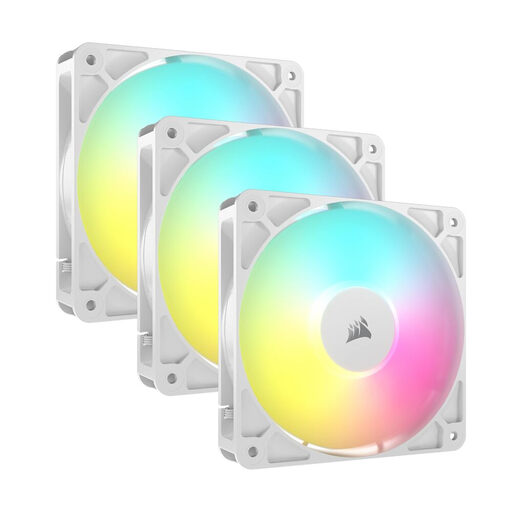
Why we chose it : This triple pack is perfect for those creating an immaculate PC build. It ensures total visual consistency while delivering serious cooling performance, whether for the case or on a radiator.
The daisy-chain connection for both PWM and ARGB signals radically simplifies cable management, avoiding the notorious "connectivity headache."
The magnetic dome bearing ensures excellent longevity and quiet operation over time. Anti-vibration pads limit noise transfer to the chassis.
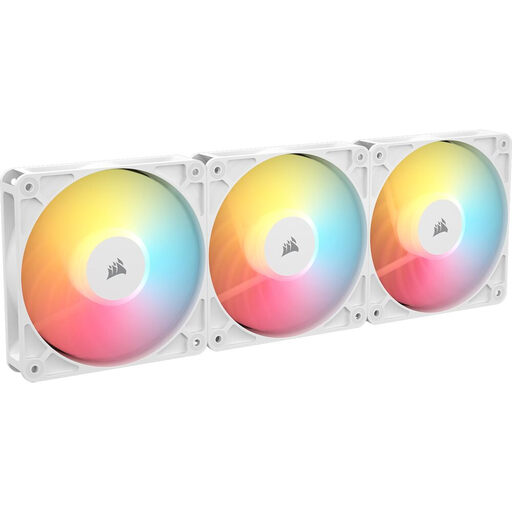
Why we chose it : For builds with visible intake fan placements (at the bottom or side), this reverse fan is the perfect solution. It draws in cool air while exposing its illuminated and more aesthetic front face.
It directly solves the "airflow direction pitfall" by providing a flawless aesthetic for intake setups, where a standard fan would expose its rear frame.
Its reverse blade design is optimised for intake. The result ? A clean, uniform look, which is especially valuable in cases with dual glass panels.
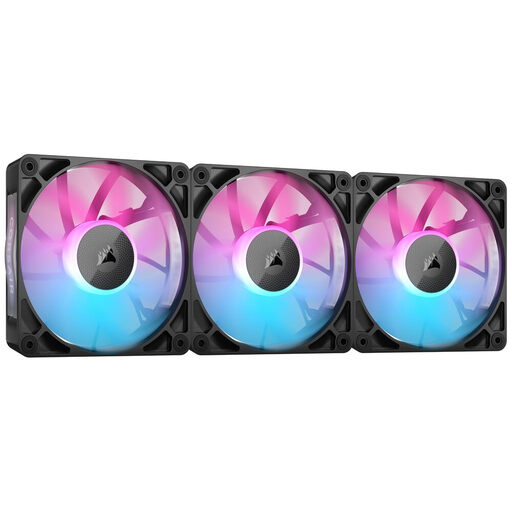
Why we chose it : For those who want a high-end solution that eliminates cables between fans. The iCUE LINK ecosystem is designed for an immaculate build and centralised control.
This is the ultimate answer to the usual cable mess. The fans connect magnetically to each other, and a single cable links the entire cluster to the system hub. Assembly has never been easier.
iCUE LINK digital connectivity for ultra-simplified assembly and minimalist cable management. The included hub can control up to 14 devices for flawless synchronisation.
We have curated a complete list of products that meet the demanding criteria of this guide.
What is the lifespan of a 120mm ARGB PC fan?? It all depends on the bearing type. Basic sleeve bearings have a limited lifespan. In contrast, hydraulic bearings or magnetic dome bearings, like those from Corsair, offer far superior longevity (often over 60,000 hours) while remaining quieter over time.
How do I synchronise the lighting of multiple ARGB fans?? The easiest method is to plug the 3-pin ARGB (5V) cable from each fan into a suitable header on your motherboard. Then, simply use the manufacturer's software (Asus Aura Sync, MSI Mystic Light, etc.) to control the effects. Alternatively, many packs include a dedicated ARGB controller that centralises the connections. Finally, daisy-chain models allow you to link fans together to use only a single port on the motherboard.
Is a PWM fan really quieter?? Not inherently, but it is much smarter. A PWM fan can run at very low speeds when your PC is idle, making it nearly inaudible. It only speeds up (and thus becomes louder) when the load and temperature rise, for example, during gaming. Ultimately, this dynamic management makes the entire PC much quieter than a setup where fans are constantly running at full speed.