
Livraison le jour même ou le lendemain

Qualité garantie

Débloquez vos offres de bienvenue: Livraison GRATUITE | Jusqu'à -80 % | 30 jours d'essai gratuits à JoyPlus
Téléchargez l'application
A true digital Swiss Army knife, the 11-inch iPad Pro shines with its versatility and portability. But when it comes to typing out long documents, juggling spreadsheets, or replying to important emails, the touchscreen quickly shows its limitations. Adding a physical keyboard transforms your tablet into a formidable mobile productivity machine, combining the best of both worlds.
With a jungle of available models, it can be tough to find your way. This guide is here to break down the best current options and give you the keys to finding the 11-inch iPad Pro keyboard that’s truly right for you, without the unnecessary marketing jargon.
Before diving into our selection, here are a few key points to keep in mind to make the right choice.
The way the keyboard communicates with your iPad is the first decision you'll need to make.
To replicate the feel of a laptop, there are several features to examine closely:
Your keyboard can also act as a bodyguard. An 11-inch iPad Pro keyboard case protects your tablet's screen and back from everyday scratches and minor bumps. These all-in-one solutions are convenient but can add weight and bulk. The design, material quality, and hinge durability are also points not to be overlooked for a long-lasting investment.
Here are a few models that stand out from the crowd and cater to different types of users.
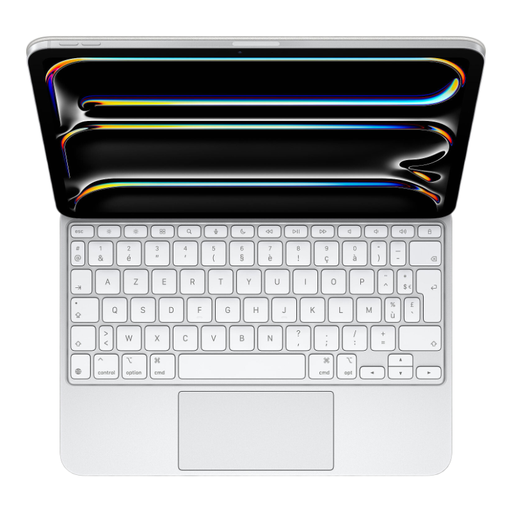
Apple Magic Keyboard for 11-inch iPad Pro (M5) - White
What sets it apart The Magic Keyboard for iPad Pro 11 is the official accessory, designed by Apple for seamless integration. Its "floating" cantilever design offers a very smooth viewing angle adjustment. The connection via the Smart Connector is magical: instant and battery-free. The latest M5 version adds a 14-key function row and an aluminium palm rest for improved typing comfort.
Pros
Who is it for? For the die-hard fans of the Apple ecosystem who demand a premium experience, flawless integration, and a sleek design. It's the top choice for professionals and creatives who want to turn their iPad Pro into a credible laptop alternative.
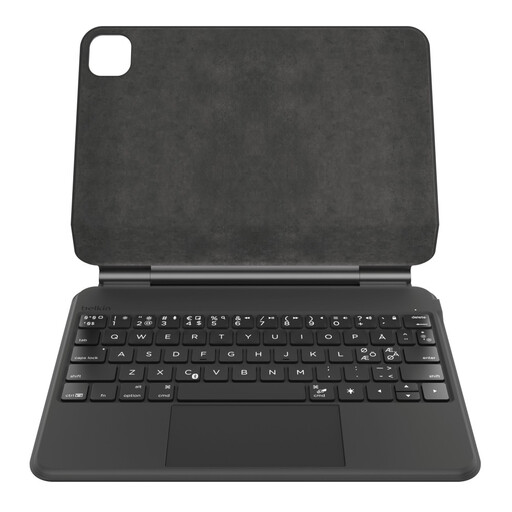
Belkin Pro Magnetic Stand iPad Keyboard, Backlit Multi-Touch Keys, QWERTY
What sets it apart This Belkin keyboard stands out as a serious alternative that bets big on battery life and practical details. Connected via Bluetooth, it packs a 600 mAh battery. The manufacturer promises up to 365 days of standby time—an impressive performance on paper. It also includes a very convenient magnetic storage slot for the Apple Pencil.
Pros
Who is it for? For mobile users who never want to be caught with a dead battery. If charging yet another accessory is a hassle for you and you frequently use the Apple Pencil, this model is a very compelling option.
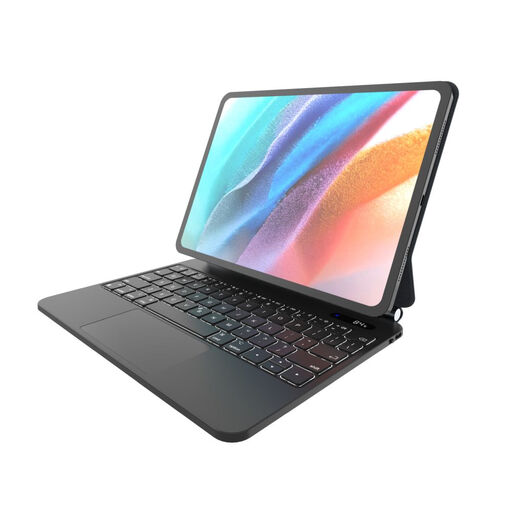
FIXED Typee Keyboard for Apple iPad Pro 11" M4 2024/M5 2025, EN, Black
What sets it apart The FIXED Typee keyboard plays the versatility and maximum protection card. It's an all-in-one solution that combines a rugged case, a wireless keyboard, and a trackpad. Its main strength lies in its highly flexible hinge, which allows you to adjust the viewing angle from 65° to 125° to suit any situation. It promises up to 100 hours of use and recharges via USB-C.
Please note: This model is available with an English (EN/QWERTY) keyboard layout.
Pros
Who is it for? For users who are primarily looking for enhanced protection and great tilt flexibility. With its standard QWERTY layout, it's a great fit for developers, writers, and anyone accustomed to this keyboard format.
Didn't find the keyboard of your dreams in this selection? Your needs are unique, and dozens of other models exist. To discover a wider range of accessories and compare other references, feel free to explore our complete category of pro keyboards.
Absolutely. If you use your iPad Pro for more than just consuming content (like writing, coding, project management, etc.), a physical keyboard is an investment that quickly pays for itself in productivity gains. It turns your tablet into a much more complete and comfortable daily workstation.
The Smart Connector is Apple's "magical" solution: an instant, physical connection with no pairing and no battery to charge, as the keyboard is powered by the iPad. Bluetooth is a universal wireless connection that requires an internal battery and pairing, but in return, it offers more versatility (the keyboard can be used with other devices).
Yes, it's a crucial factor for your typing comfort. In most English-speaking countries, the standard is QWERTY. Using a keyboard with a different layout (like AZERTY, common in France) can quickly become a headache if you're not used to it, due to the different placement of letters (A/Q, Z/W, M) and special characters. This is a point you must check before any purchase.