
Livraison le jour même ou le lendemain

Qualité garantie

Débloquez vos offres de bienvenue: Livraison GRATUITE | Jusqu'à -80 % | 30 jours d'essai gratuits à JoyPlus
Téléchargez l'application
A powerful laptop or a high-performance tablet deserves a charging accessory to match. Yet, finding the right 100W USB-C cable can quickly become a headache; between promises of ultra-fast charging and technical specifications, it's easy to get lost. A poor choice can not only throttle your device's charging but also limit data transfers or wear out prematurely.
This guide's mission is to demystify the key criteria for choosing a cable that's perfectly suited to your needs, whether you use a MacBook Pro, a Dell XPS, or an iPad Pro. We will then present a selection of reliable, high-performance models to help you invest with confidence.
Before you check out, it's crucial to understand a few technical characteristics that separate a good cable from a great one. Here are the three criteria you should never overlook.
The "100W" rating corresponds to the maximum power the cable can deliver to your device. This capability is governed by the PD (Power Delivery) fast charging standard. To efficiently charge a laptop, it is imperative that the cable supports this power level.
Not all USB-C cables are created equal when it comes to file transfers. This is an often-overlooked point, yet it is essential for professionals and creatives.
A cable is an everyday accessory, often subjected to heavy use. Its design directly influences its lifespan.
To help you make an informed decision, we have selected three models that meet distinct needs, from reliable charging to ultra-fast data transfer.
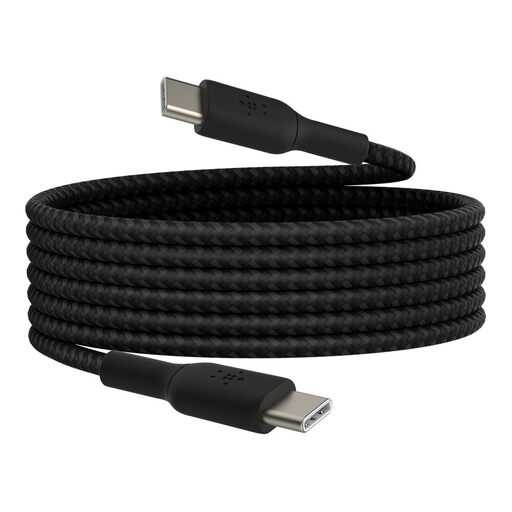
Why it stands out: This Belkin cable is all about durability and reliability. Its braided nylon jacket is designed to withstand intensive use. The USB-IF certification guarantees maximum compatibility and safety with all your USB-C devices.
Key Features:
Who is it for? For users looking for an ultra-durable replacement or secondary cable to charge their tablets and laptops compatible with up to 60W. It's a safe bet for daily and mobile use.
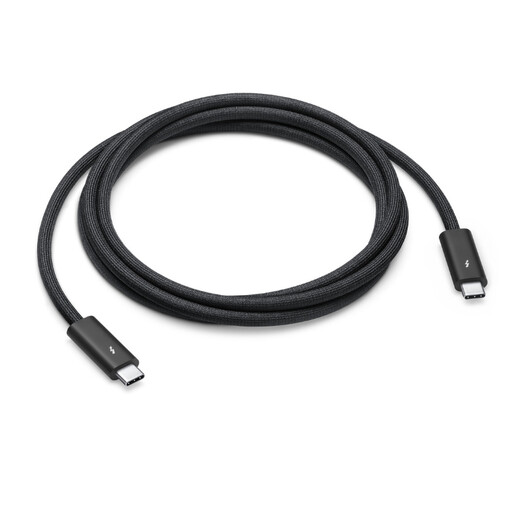
Why it stands out: This cable is the all-in-one solution for Apple ecosystem users and the most demanding professionals. It combines 100W charging power with Thunderbolt 4 transfer speeds, all in a braided design that prevents tangling.
Key Features:
Who is it for? For creative professionals, developers, and power users who need both 100W fast charging and high-speed data transfers for their workstations, external displays, and storage drives.
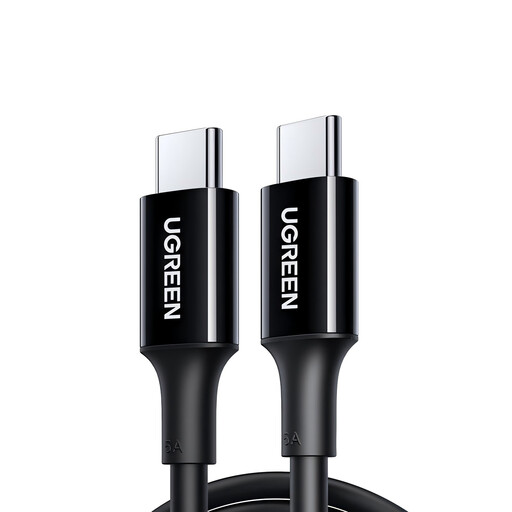
Why it stands out: The UGREEN US300 cable focuses on one thing and does it perfectly: delivering a maximum charging power of 100W. It's a practical and highly affordable solution for those whose priority is to quickly charge their laptop.
Key Features:
Who is it for? For users whose main need is to find a USB-C to USB-C cable capable of charging their laptop at 100W, without needing blazing-fast data transfer speeds. It's the efficient choice for charging, first and foremost.
If none of these models suit you, or if you are looking for other lengths and designs, many alternatives exist. To discover a wider range, feel free to browse our complete category of black USB-C cable.
The main difference lies in the power it can carry. A standard cable (often supplied with smartphones) is typically limited to 15W or 30W. A 100W USB-C cable is equipped with an E-Marker chip that communicates with the charger and the device to safely negotiate and deliver much higher power, which is essential for powering a laptop.
Yes, absolutely. USB Power Delivery (PD) technology is smart. The cable, charger, and your device (phone, tablet) will communicate to determine the maximum power the device can safely accept. The cable will only supply the necessary power, so there is no risk of damaging your hardware.
No, the cable is just one link in the chain. To achieve a 100W charge, three conditions must be met: