
Livraison le jour même ou le lendemain

Qualité garantie

Débloquez vos offres de bienvenue: Livraison GRATUITE | Jusqu'à -80 % | 30 jours d'essai gratuits à JoyPlus
Téléchargez l'application
One single charger for your laptop, tablet, and phone: that's the promise of a 100W GaN charger. Say goodbye to a backpack weighed down by a collection of adapters. Yet, when it's time to choose, things get complicated. Between the often-misleading advertised power ratings and technologies with cryptic names, it's easy to make a purchasing mistake.
I'm the Head of Product Recommendations at Joybuy, and my goal is simple: to help you cut through the noise. Let's break down the essential points together to choose a charger that will truly meet your needs, without falling for the most common marketing traps.
Before even diving into the spec sheet, let's review the most common disappointments. The good news: they are very easy to avoid.
To ensure you make the right choice, here are the three technical criteria on which you should make no compromises.
This is the most critical factor. Don't be fooled by the total wattage displayed. Dive into the technical specifications and look for the detailed power delivered by each USB-C port, when used alone. To efficiently charge a modern laptop, one port must be able to supply at least 65W to 100W on its own. A good multi-port USB charger will always specify the power distribution: for example, 100W on one port, or 65W + 30W if two ports are used simultaneously.
The era of USB-A is over. For a future-proof investment, a fast USB-C charger must offer at least two USB-C ports. These are the ports that handle the highest power levels thanks to the Power Delivery (PD) protocol. An additional USB-A port is still handy for small accessories (earbuds, smartwatches), but it should no longer be a primary deciding factor.
GaN is the key technology behind a high-performance, compact travel charger. It allows components to operate at higher frequencies while limiting heat generation. It is imperative to verify that the charger includes certified protections against over-voltage, overheating, and short circuits. Leading brands like Anker or Baseus often highlight their proprietary technologies (e.g., GaN II, GaN3 Pro) as guarantees of optimized efficiency and safety.
Rather than a simple list, we've matched each charger to a user profile to guide you to the model that's truly right for you.
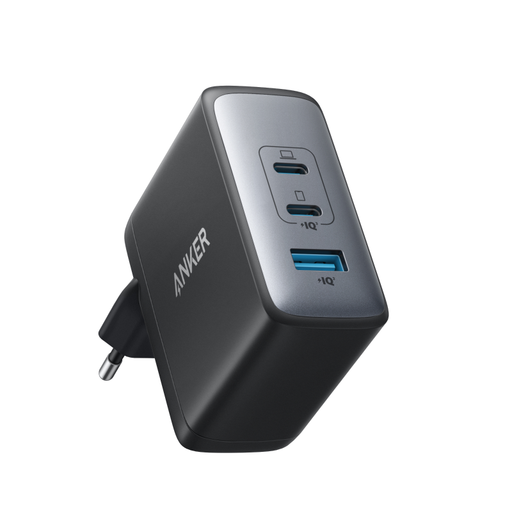
Why we chose it: For those who travel light but with powerful gear (MacBook Pro, USB-C laptop). It replaces three chargers by itself, with no compromise on your laptop's charging speed.
It delivers on its promise: delivering 100W on a single USB-C port, which avoids the shared power trap. Its GaN II technology ensures a slim profile and perfectly managed heat.
The ultimate all-in-one solution for remote work. It can charge a laptop at full speed while also powering a smartphone and earbuds.
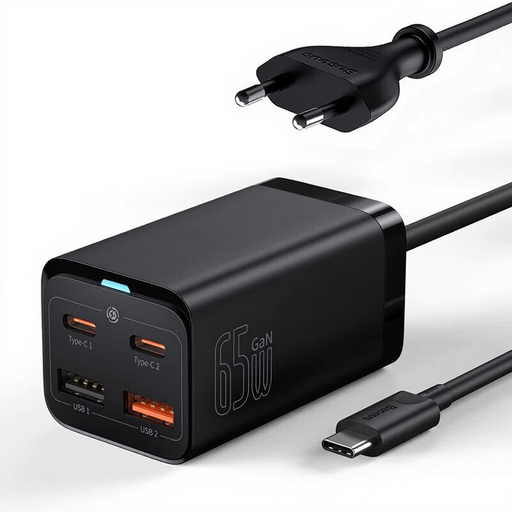
Why we chose it: Perfect for clearing up desk space. Its remote "station" format, with its own power cable, allows you to place it within easy reach and plug in up to four devices, freeing up the wall outlet.
Its mission is clear: to centralize charging on a desk. Its 65W power is perfectly calibrated for a laptop (like a MacBook Air) and several peripherals, with intelligent power distribution.
It centralizes charging for your entire ecosystem (computer, phone, watch, earbuds) in one place. The result: a finally clear and organized desk.
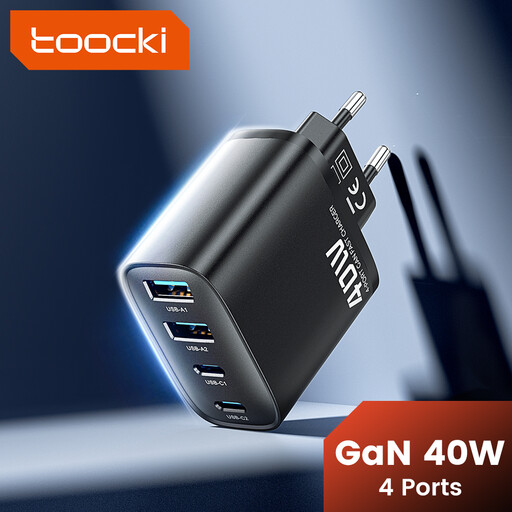
Why we chose it: The smart solution for those who don't need to charge a laptop but juggle a smartphone, tablet, e-reader, and earbuds daily. It maximizes connectivity for a minimal price.
It doesn't oversell. Its 40W power is clearly stated and perfectly suited for fast-charging smartphones (PD) and other compatible devices (QC 3.0).
An unbeatable port-to-price ratio for centralizing the charging of all your daily gadgets without breaking the bank.
Discover our full selection of chargers that meet our quality criteria and European safety standards.
Can a 100W GaN charger damage my phone? Absolutely not. A modern charger and a recent device "negotiate" to agree on the charging power. The charger will only supply the maximum power that your phone can safely accept, thanks in particular to the USB Power Delivery (PD) protocol.
What is the lifespan of a GaN charger? Its lifespan is comparable to that of a well-made conventional charger. However, since GaN technology generates less heat, it helps preserve the internal components and can therefore potentially extend its longevity. Choosing a brand known for its manufacturing quality remains the best guarantee of reliability.
Do I need a special cable for a 100W charger? Yes, and this is a crucial point. To take full advantage of 100W, you absolutely need a USB-C cable certified for this power level. These cables, like the PAVAREAL Q51CTC 100W, integrate an electronic chip (called an "E-Marker") that authorizes the passage of such a high current. Using a standard cable will throttle the charging speed, most often to 60W or less.